












Accessing your Aphrodite account: login guide and troubleshooting
Welcome to Aphrodite — your VIP space is waiting
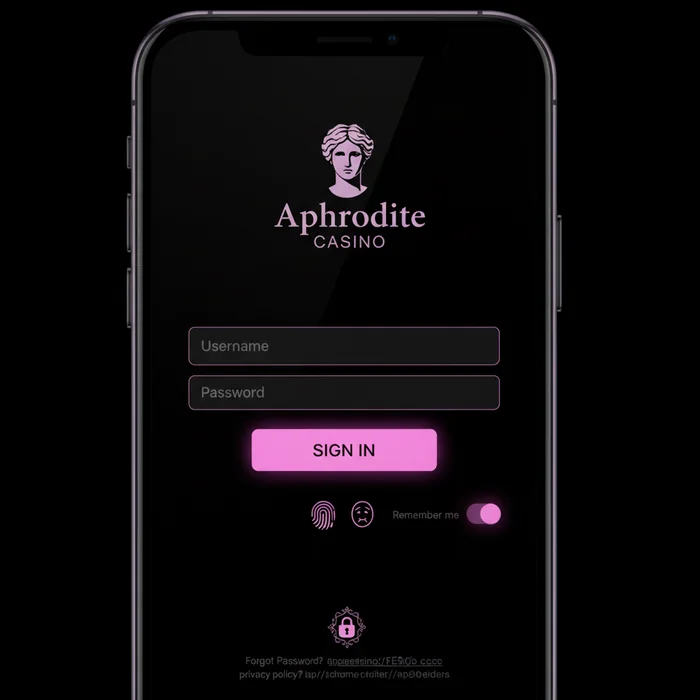
The Aphrodite login is much more than a simple entry point: it's your direct gateway to a world designed to reward every player as they deserve. The moment you sign in, our platform recognizes your profile, your loyalty level and your preferences — delivering a personalized experience from the very first second.
Once logged in to your Aphrodite account, you have full access to your VIP dashboard: loyalty points balance, tier status, active bonuses, gaming history and access to your dedicated account manager if you hold a premium membership. We've built this space so nothing slips through the cracks — every benefit you're entitled to is visible at a glance.
How to log in to Aphrodite in 4 steps
We understand you want to access your account quickly and without friction. That's why we've streamlined the Aphrodite login process as much as possible. Here's how to do it, step by step.
Step 1: Go to Aphrodite
Open your browser and navigate to aphroditefrance.com, our official address. Once on the homepage, look for the "Log in" button located in the top right corner of the interface — it's immediately visible without needing to scroll.
Always make sure to use the official URL to avoid fraudulent sites mimicking our interface. If in doubt, check for the HTTPS padlock in your browser's address bar.
Step 2: Enter your credentials
On the secure login page, enter the email address associated with your account along with your password. Both fields are case-sensitive — make sure you haven't accidentally left Caps Lock on.
If you chose a custom username when registering, you can also use that instead of your email. Our system recognizes both formats without any distinction.
Step 3: Two-factor authentication
If you've enabled two-factor authentication (2FA) — which we strongly recommend for all VIP accounts — a six-digit code will be sent to you via SMS or generated through your authenticator app. Enter this code in the designated field before the displayed timer expires.
This extra layer of security protects your balance and loyalty points against unauthorized access. For members at our higher tiers, we strongly advise enabling this option from your account settings.
Step 4: Access your dashboard
Once your login is confirmed, you'll land directly on your personal dashboard. There you'll find your real-time balance, your available bonuses on the rewards page, your loyalty program progression and notifications from your account manager if you're a VIP member.
Silver, Gold, Platinum and Diamond tier members enjoy priority display of their exclusive benefits as soon as they log in. Your VIP privileges are front and center — never buried in sub-menus.
Available login methods
We offer several ways to log in to Aphrodite Casino, tailored to your habits and your comfort level with technology. Here's a full overview of the options available on our platform.
| Login method | Availability | Security level |
|---|---|---|
| Email + password | All devices | Standard — enhanced with 2FA |
| Social login (Google) | Desktop and mobile browser | High — delegated to Google OAuth |
| Aphrodite mobile app | iOS and Android | High — encrypted session |
| Biometric authentication | Compatible devices (mobile app) | Very high — fingerprint or Face ID |
| One-tap login (remembered session) | Registered trusted devices | Medium — recommended on personal devices only |
Mobile login on Aphrodite
We know that the majority of our players access their accounts from a smartphone. That's why the mobile experience has been designed with the same care as the desktop version — with no compromise on smoothness or security.
Via mobile browser
From Safari, Chrome or Firefox on mobile, visit aphroditefrance.com. The site automatically adjusts to your screen size. The login button remains accessible at the top of the page, even on the smallest screen formats.
Enable the "Remember me" option on your personal device to avoid re-entering your credentials on every visit. On a shared device, always disable this option and manually log out after each session.
Via the dedicated app
Our Aphrodite app offers an even smoother experience, with faster load times and the ability to enable biometric login. Once the app is installed, your fingerprint or Face ID is all you need to instantly access your account.
VIP members particularly appreciate the app's push notifications: personalized bonus alerts, exclusive tournament reminders and direct messages from their account manager — all delivered straight to their home screen.
Tips for an optimal mobile session
Opt for a secure Wi-Fi connection or your personal mobile network rather than a public network. Open networks (cafés, hotels, airports) carry risks of data interception. If you must connect from a public network, using a reliable VPN is recommended.
Troubleshooting login issues
Even with the best platform, technical obstacles can arise. Our support team is available to help, but in many cases the solution is right at hand. Here are the most common scenarios and how to resolve them.
Forgotten Aphrodite password
Don't panic — recovering your Aphrodite password is simple and quick. Follow these four steps:
- On the login page, click the "Forgot your password?" link located below the input field.
- Enter the email address associated with your Aphrodite account and confirm.
- Check your inbox — an email containing a secure reset link will be sent to you within minutes. Also check your spam folder if you can't find it.
- Click the link you received, set a strong new password (at least 12 characters, including uppercase letters, numbers and symbols), then log back in as normal.
The reset link is valid for a limited time for security reasons. If the link has expired, simply repeat the process from the beginning.
Locked or suspended account
An account may be temporarily locked after several consecutive failed login attempts — this is an automatic protection measure for your balance and loyalty points. In this case, an information message will appear on screen with instructions to follow.
To unlock your account, contact our support team via the live chat available on the site or by email at the address listed in the Contact section. VIP members benefit from a priority channel and faster processing times. Have your identification details ready (name, email, date of birth) to speed up verification.
Browser-related issues
If the login page isn't displaying correctly or the submit button isn't responding, start by clearing your browser's cache and cookies. These temporary files can sometimes conflict with updates to our interface.
We recommend using recent versions of Chrome, Firefox, Edge or Safari for optimal compatibility. Older browsers may not support certain modern security features. If the problem persists after clearing the cache, try opening a private browsing window or testing from a different browser.
Protecting your account and your VIP privileges
The security of your account is our absolute priority — and it should be yours too. Your loyalty points, your balance and your exclusive benefits deserve careful protection. Here are the practices we recommend to all our players, and especially to our VIP members.
Creating a strong password
A strong password is your first line of defense. Go for a combination of at least 12 characters mixing uppercase and lowercase letters, numbers and special characters. Avoid common words, dates of birth or predictable sequences like "123456".
We advise against using the same password across multiple sites. If you struggle to remember several complex passwords, a reputable password manager (Bitwarden, 1Password, etc.) is a reliable and convenient solution.
Enabling two-factor authentication
2FA is one of the most effective protections against unauthorized access. Even if someone obtains your password, they won't be able to access your account without the temporary code generated on your device. Enable this option from the security settings in your profile.
Staying vigilant against phishing
We will never ask for your password by email, SMS or chat. If you receive a message asking you to enter your credentials via an external link, do not click it — it is most likely a phishing attempt. Report it to our support team immediately.
Ready to join the Aphrodite experience
Your account is the key to everything we've built for you: progressive VIP tiers, personalized bonuses, invitation-only tournaments and a service designed to make every gaming session count. The Aphrodite login is simple, secure and fast — we've made sure nothing stands between you and your privileges.
Don't have an account yet? Sign up now and discover from your very first login why thousands of players trust Aphrodite Casino for their online gaming experience. Your VIP journey begins the moment you create your profile.
To get started with complete peace of mind, here's your mini checklist:
- Log in via your secure space using your credentials or enable biometrics on the mobile app.
- Enable 2FA from your account settings to protect your loyalty points and balance.
- Explore your rewards on the benefits page and check your current VIP tier so you never miss a privilege that's rightfully yours.
Welcome to your space. Welcome to Aphrodite.